

recording_supported: false and has no record button.
Build the workbench
Install the desktop prerequisites, then:127.0.0.1:1420 and launches the Tauri window.
Build a release binary without an installer:
target/release/syscall-workbench.
Web UI preview (Docker)
To preview the standalone workbench UI without the desktop toolchain, run:ui/ (not the Tauri evidence-backed backend). For CLI access to mounted databases in the same stack, use docker compose exec syscall syscall --help. See Installation for details and limitations.
Open a database
The database path is fixed when the application starts:Screens
Overview
Evidence posture, recent sessions, integrity distribution, latest verification, and the read-only boundary.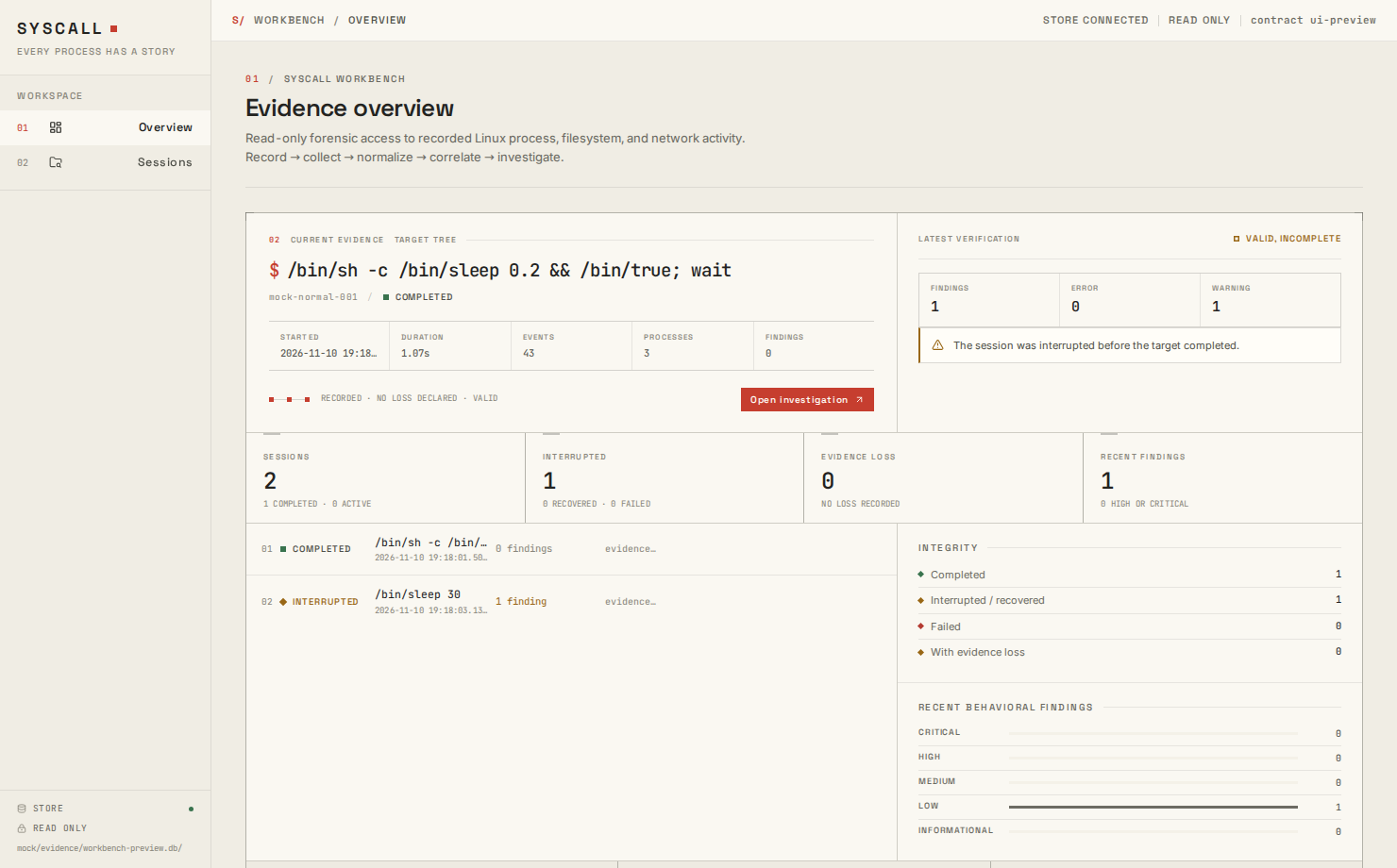
Sessions
Searchable, sortable session browser with status, scope, loss, verification, and finding counts. Results are bounded and report the matched count.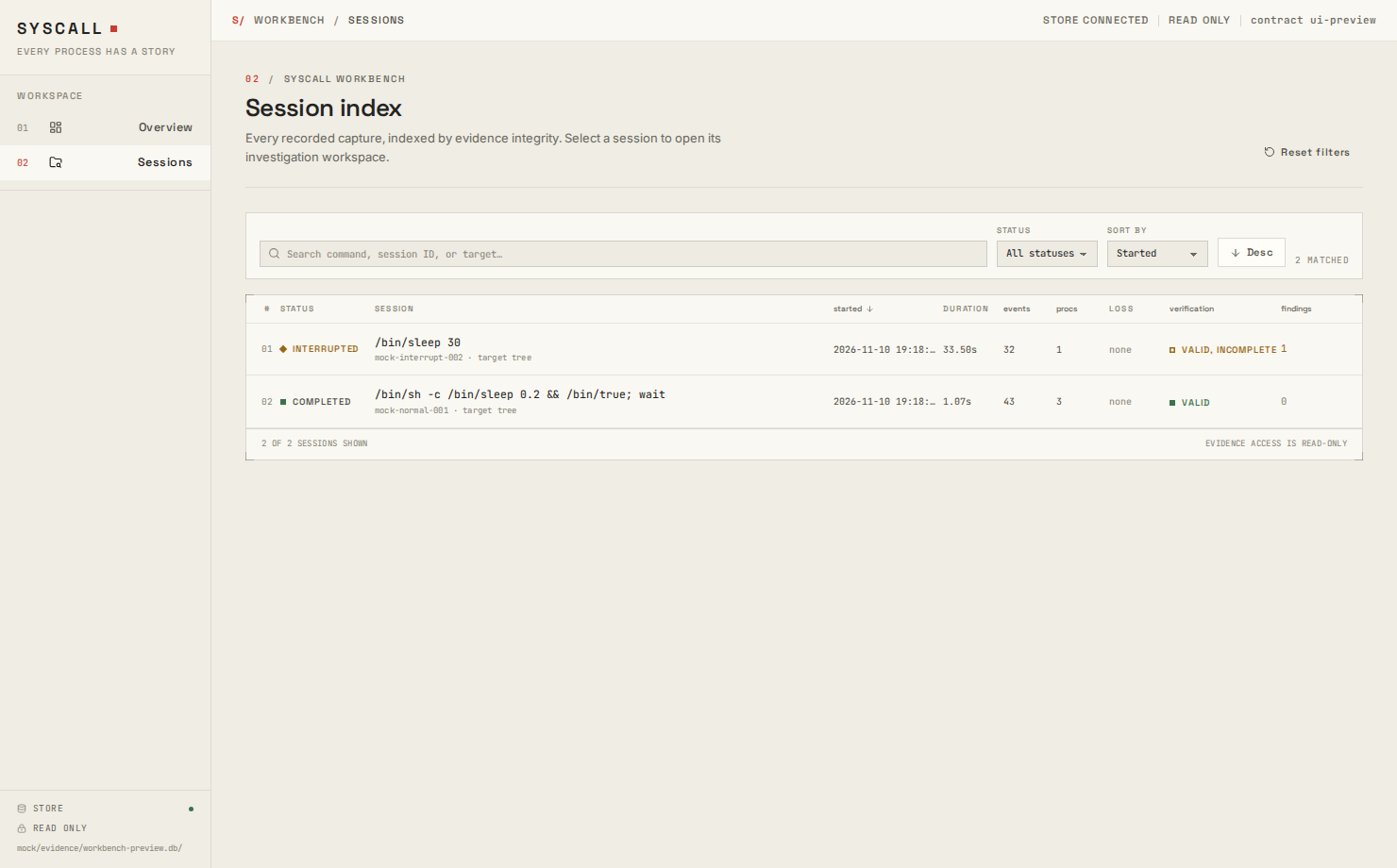
Investigation summary
Session identity, collection accounting, evidence composition, verification, and a behavioral finding preview.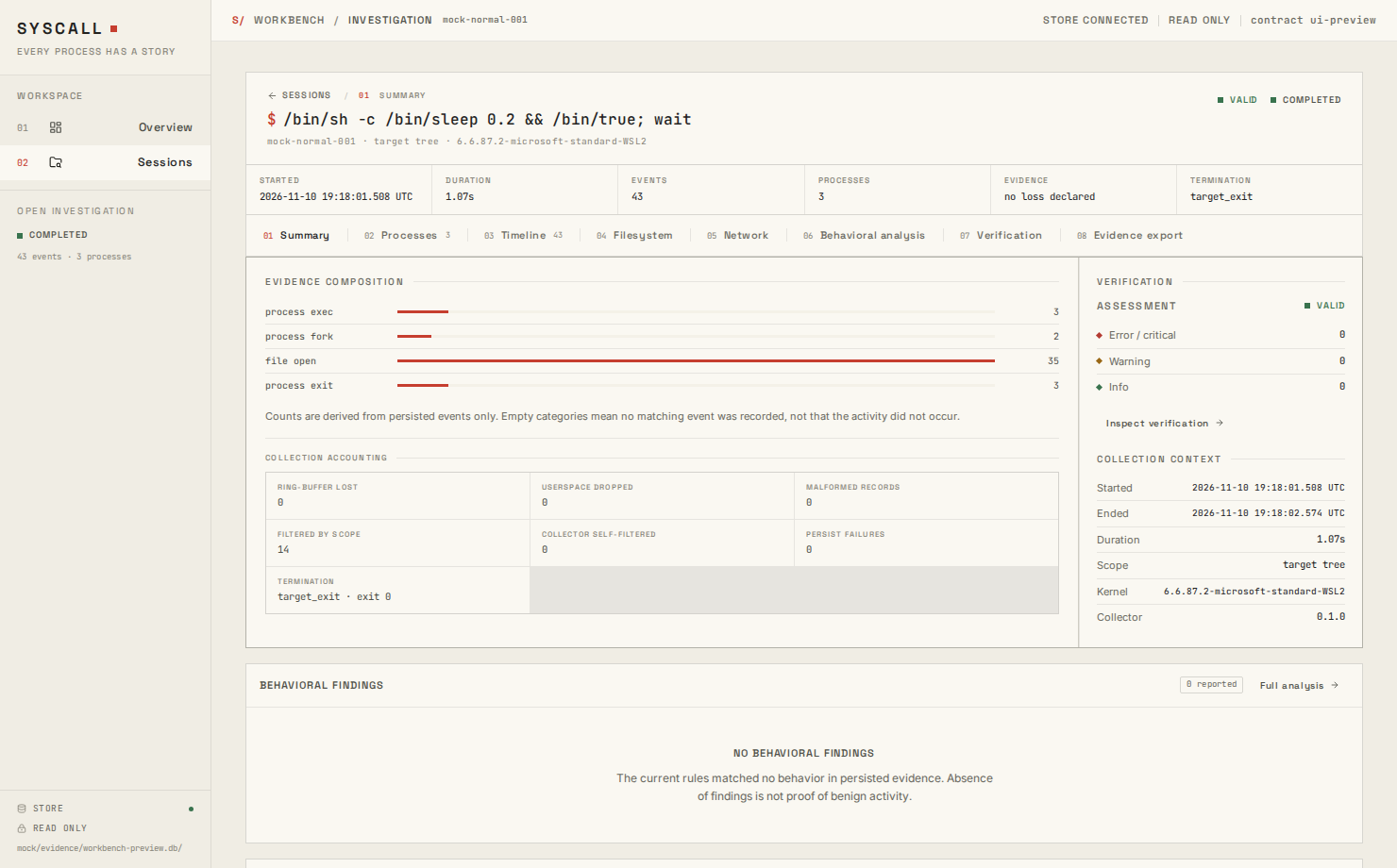
Processes
Observed process tree with explicit unresolved ancestry and identity markers. Selecting a node shows instance identity, lifetime, exit status, relationships, and provenance notes.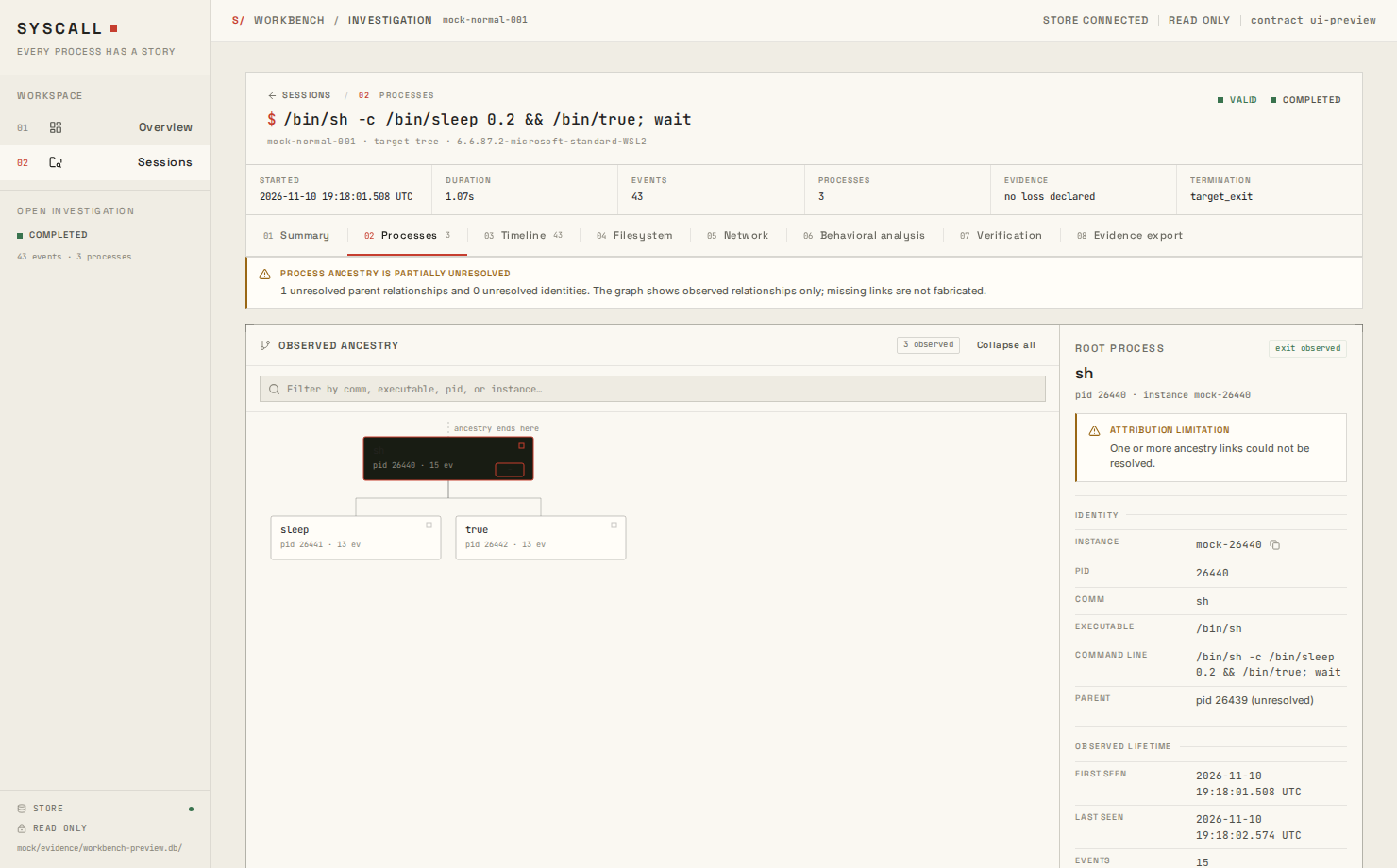
Timeline
Paged event timeline with type, process, path or address search, time bounds, and an event dossier containing the recorded payload and provenance.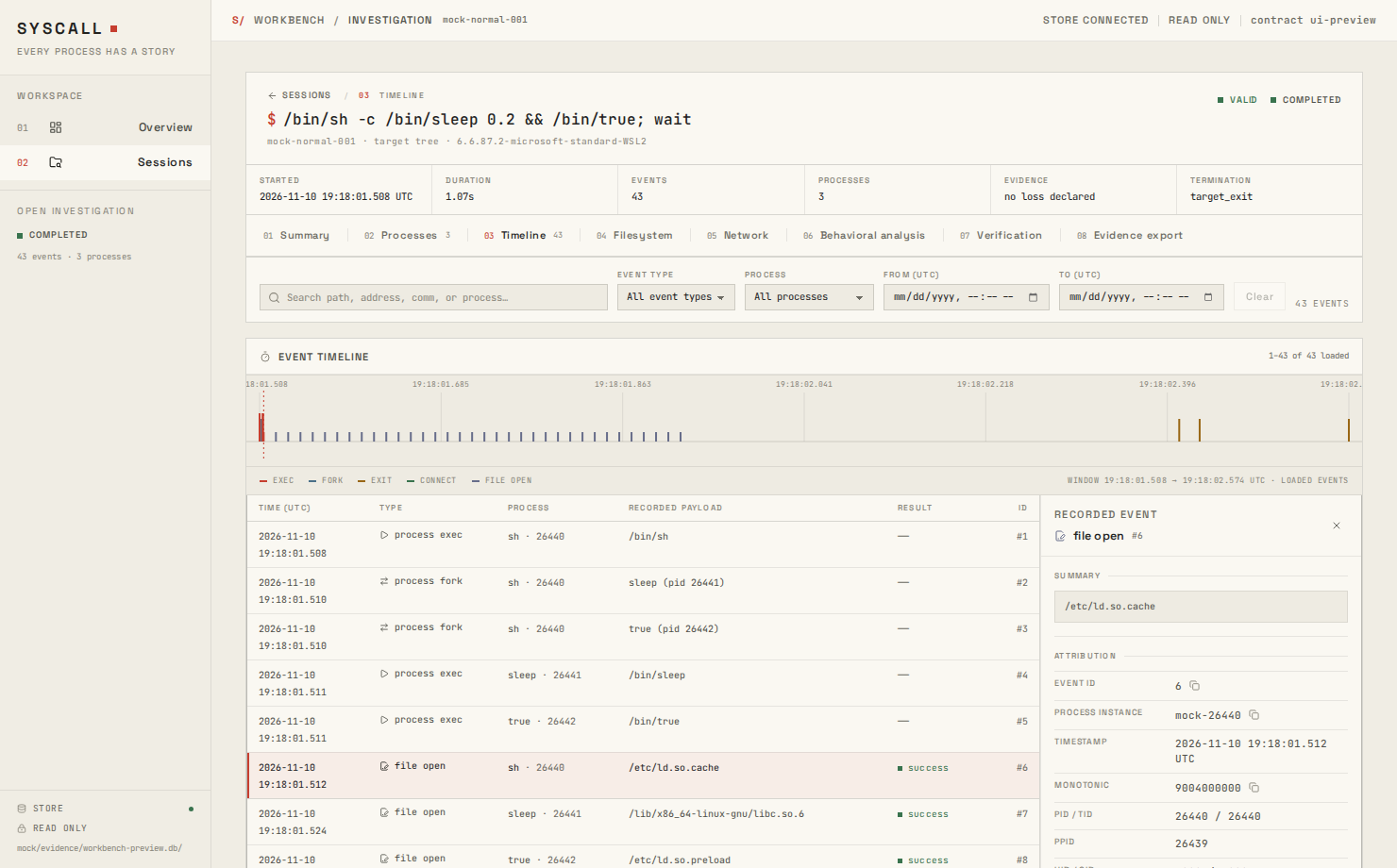
Filesystem
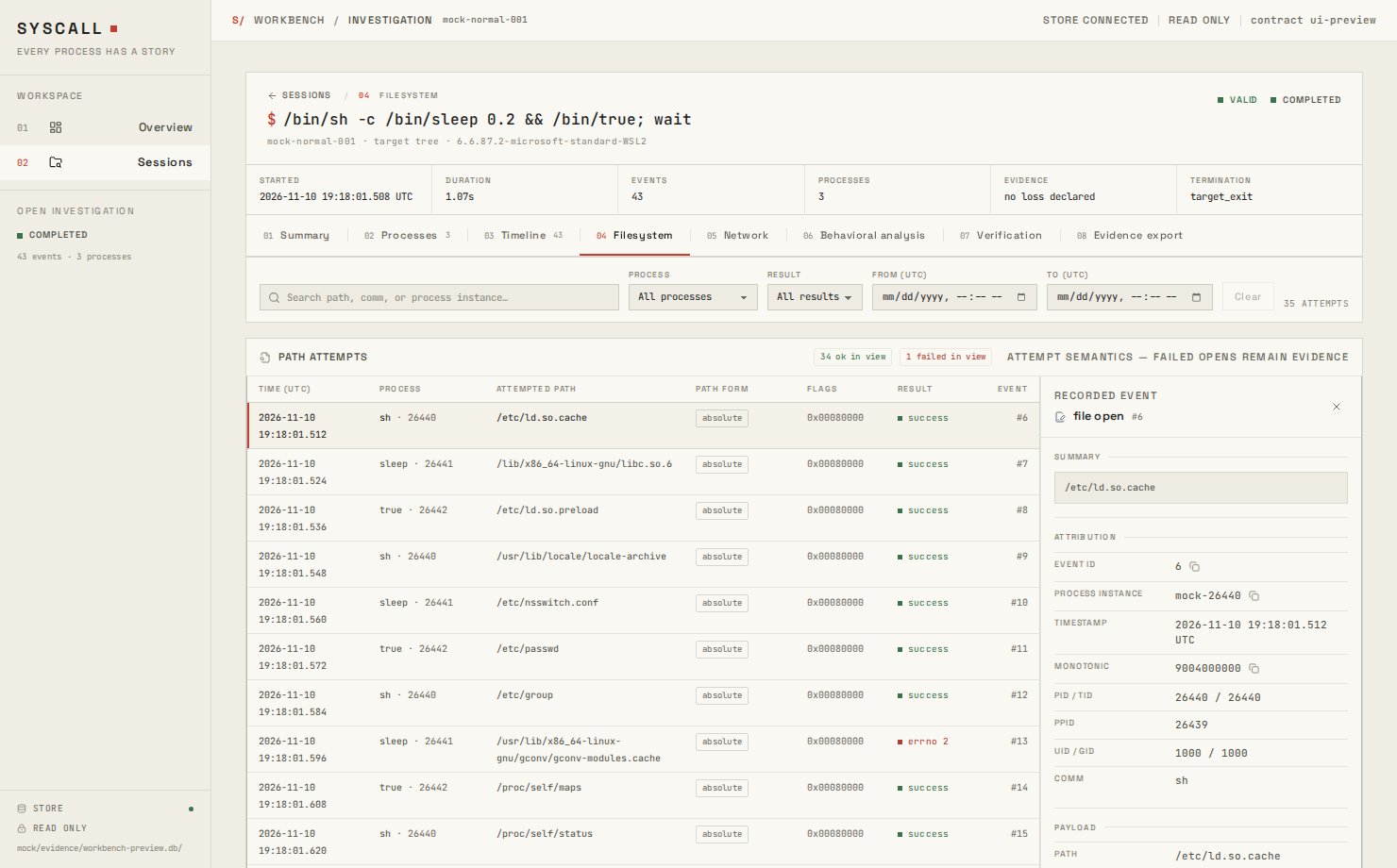
openat attempts with absolute or relative path form, flags, result, errno, and attempt semantics. Relative paths are shown as recorded.
Network
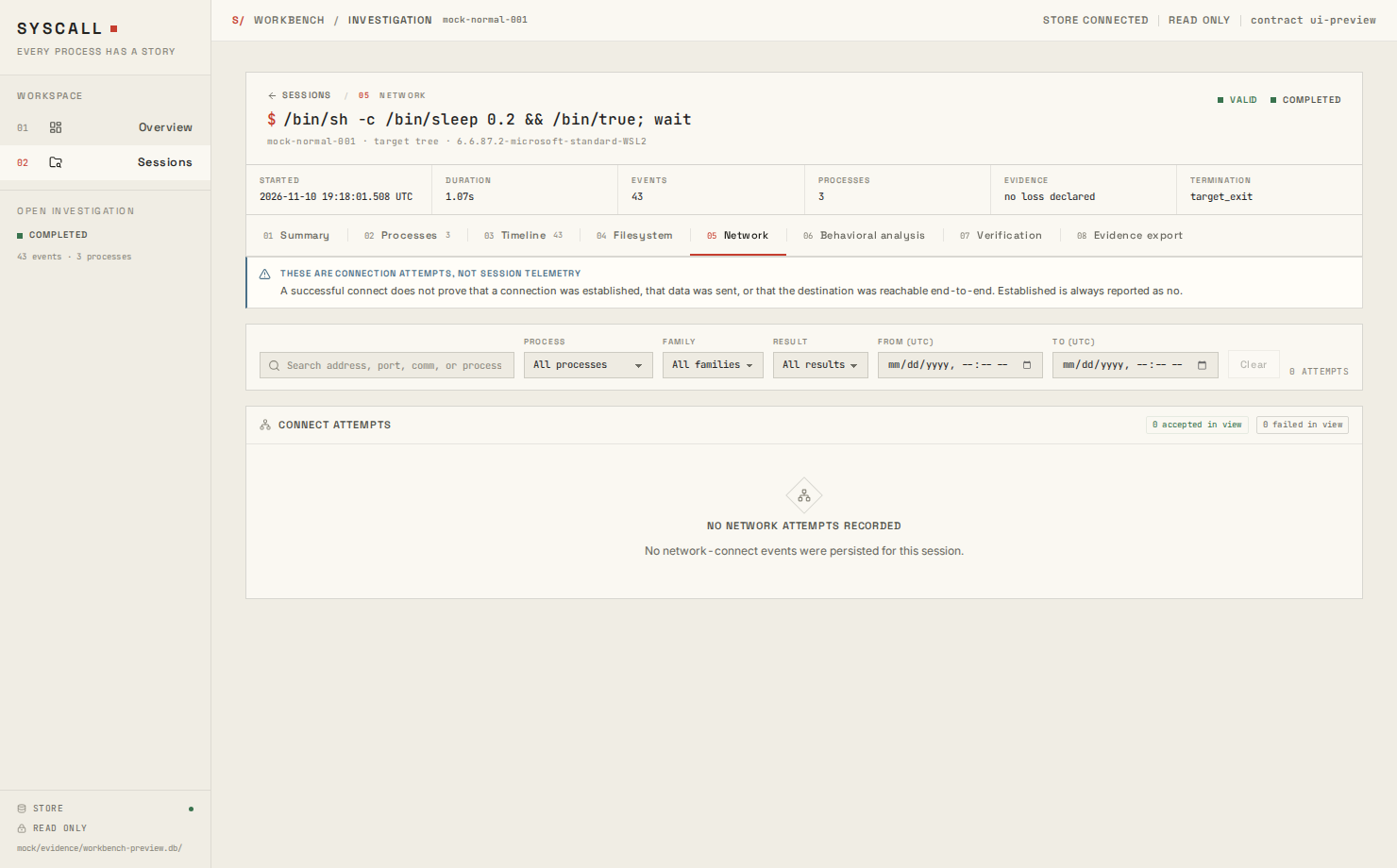
IPv4/IPv6connect attempts. The screen states that a successful connect does not prove an established session, data transfer, or reachability.
Behavioral analysis
Deterministic findings with severity, confidence, rule filters, supporting event links, related processes, next steps, limitations, and rule metadata.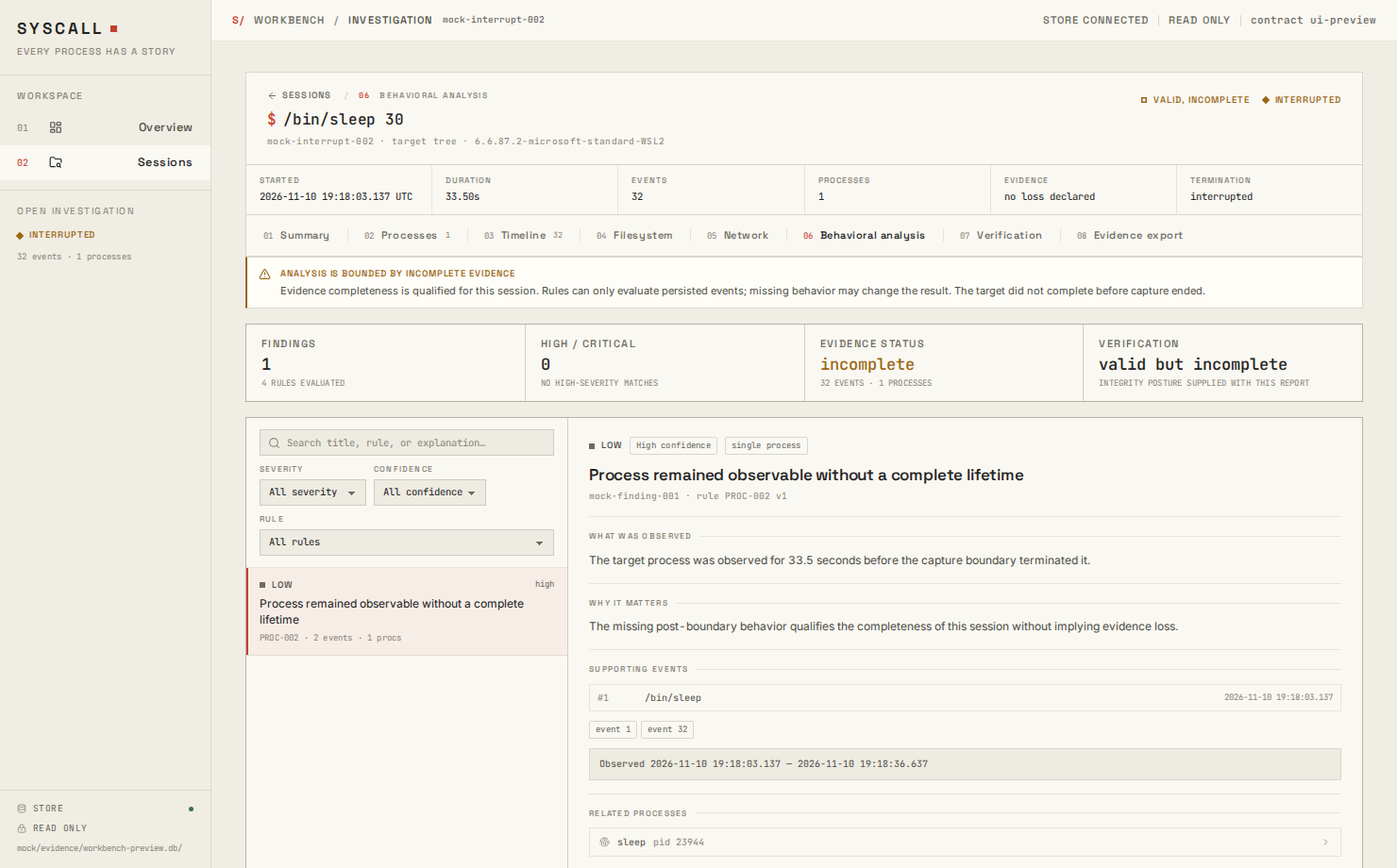
Verification
Verification assessment, findings, severity distribution, and interpretation. Verification checks the stored record; it does not prove that collection was complete.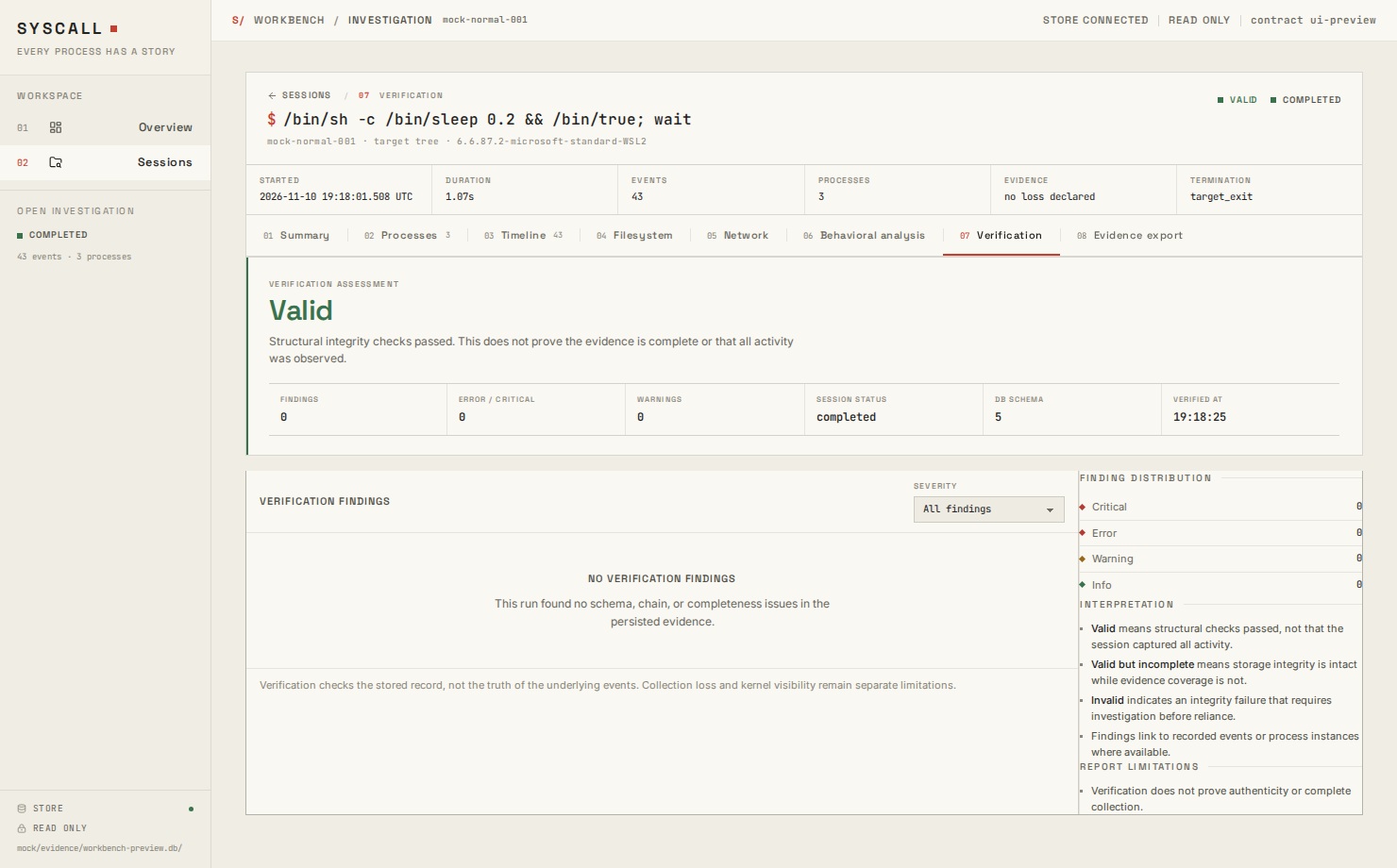
Export
The destination is selected by the Rust backend. Existing files require explicit confirmation before replacement, and the result displays the component manifest.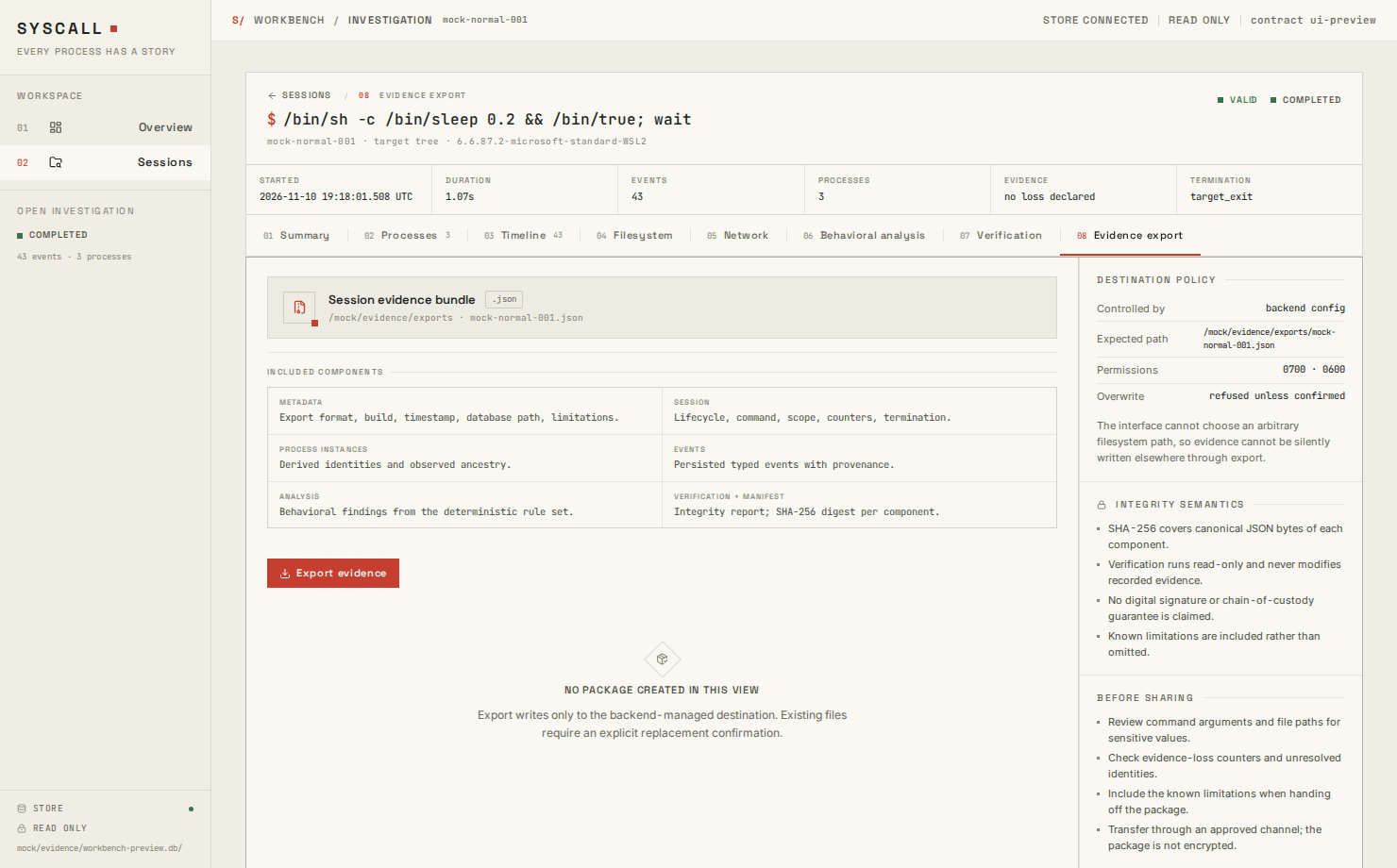
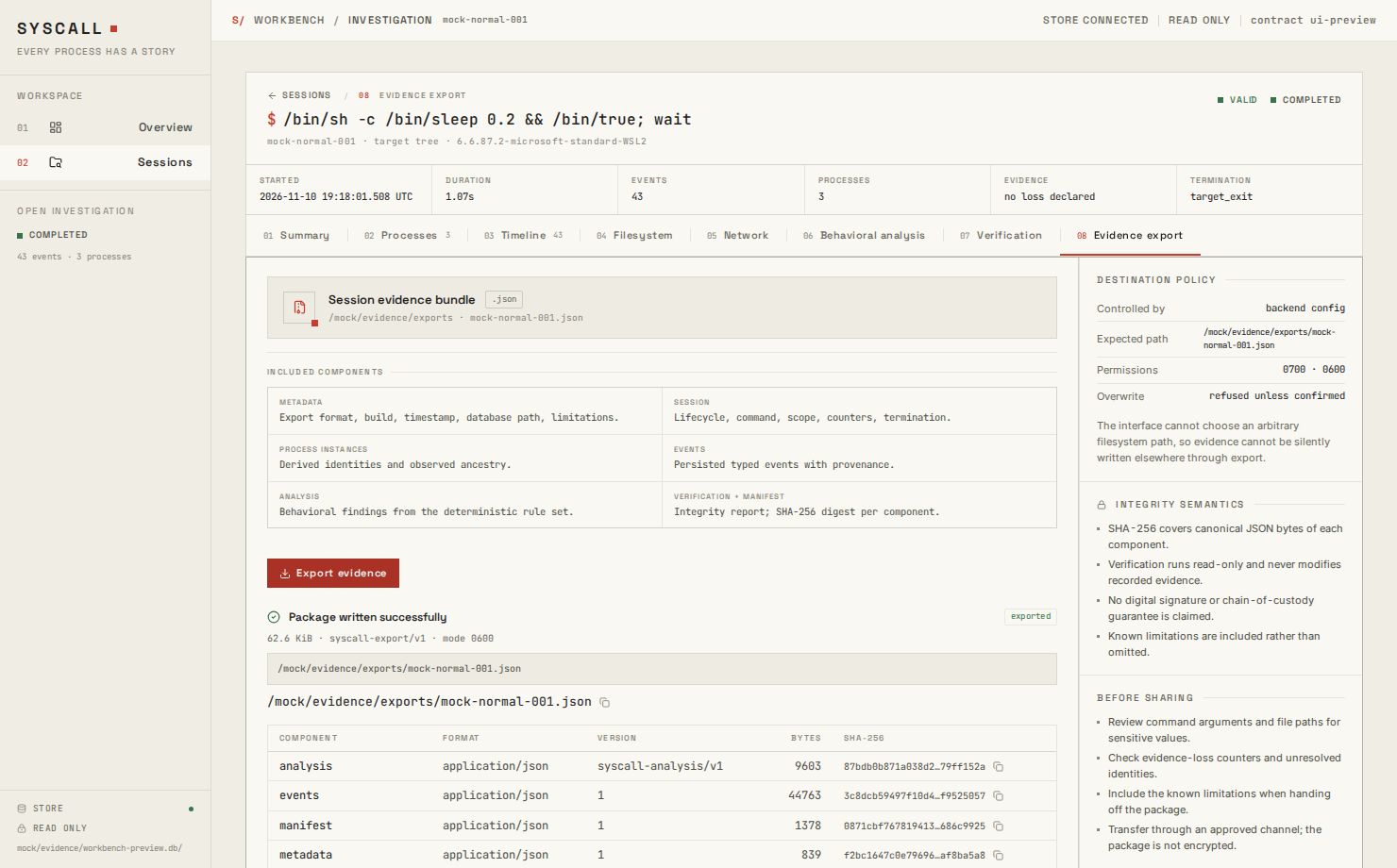
ui-preview. They document the interface, not live-recorded evidence.
Interface semantics
Counts represent persisted rows. An empty category means no matching event was recorded, not that the activity did not occur.
Desktop command contract
Contract version:syscall-desktop/v2. All request fields are camelCase. Database and analysis work run on a blocking worker.
Bounds and validation:
- Session list is capped at 500; page size is capped at 500; recent overview at 20.
- Search strings are limited to 200 characters.
- Session IDs reject empty values,
.,.., path separators, and overlong values. - Status, sort, direction, and address family are normalized against fixed sets.
get_eventrequires both a session ID and an event ID; a mismatched session returns no event.- Errors are structured as
{ code, message }, includingSESSION_NOT_FOUND,DATABASE_NOT_FOUND,INVALID_REQUEST,STORAGE_ERROR,ANALYSIS_ERROR, andEXPORT_ERROR.
Security boundary
- The database is opened with
Storage::open_read_only; the workbench never inserts, updates, migrates, vacuums, or deletes evidence. src/lib/api.tsis the only source module that imports the Tauri core API.- The capability grants only
core:defaultto the main window. - The CSP restricts scripts, styles, images, fonts, frames, and connections to the application and Tauri IPC.
- No SQL, shell, filesystem, dialog, or HTTP plugin is exposed.
- Untrusted event strings render as React text. There is no
dangerouslySetInnerHTML. - Export writes to
~/.local/share/syscall/exports/<session-id>.jsonorSYSCALL_EXPORT_DIR. The frontend cannot choose a path. - Export creates the directory with mode
0700and the package with mode0600.
Why there is no record button
Recording needs privileged BPF. A GUI record button would require one of:- Running the whole window as root, expanding the attack surface.
- Embedding or caching sudo credentials, which the project forbids.
- A separate privileged helper with authenticated, narrow IPC.
WSLg
If the window is blank under WSLg, disable WebKit compositing:Limitations
- No automatic migration for old databases.
- No signed installer or packaged bundle in this revision.
- Export destination is fixed by the backend.
- No OS-level sandbox around the renderer beyond Tauri capabilities and CSP.
- Large sessions are paged, but the table is not fully virtualized.
- No automated GUI end-to-end test; the renderer has component tests and the service layer has real-SQLite tests.